Course description

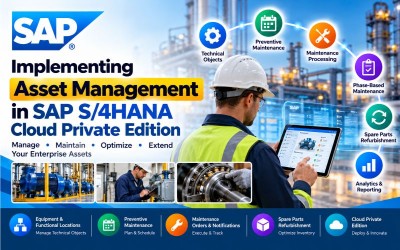
Implementing Asset Management in SAP S/4HANA Cloud Private Edition is a comprehensive enterprise training program designed for SAP Asset Management consultants, SAP Plant Maintenance (PM) consultants, maintenance planners, reliability engineers, asset managers, SAP functional consultants, implementation partners, maintenance supervisors, and ERP professionals who want to implement and configure SAP S/4HANA Asset Management in enterprise environments.

This course provides practical knowledge of SAP S/4HANA Asset Management, including technical objects, maintenance processing, preventive maintenance, corrective maintenance, emergency maintenance, mobile maintenance, maintenance analytics, maintenance customization, phase-based maintenance, refurbishment of spare parts, and SAP S/4HANA Cloud implementation methodology. Learners will gain hands-on experience implementing enterprise asset management while following SAP best practices.

Following SAP's official Learning Journey, the course progresses from business processes through technical object management, preventive maintenance, customization, advanced maintenance functions, refurbishment, RISE with SAP methodology, and SAP S/4HANA Cloud Private Edition implementation.

Modern organizations depend on reliable equipment, optimized maintenance strategies, and efficient asset lifecycle management to maximize operational performance and reduce maintenance costs. SAP S/4HANA Asset Management enables organizations to manage physical assets throughout their lifecycle while improving equipment reliability, preventive maintenance planning, maintenance execution, inventory control, and operational efficiency.

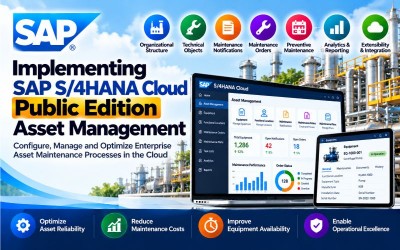
This course introduces the complete implementation lifecycle of SAP S/4HANA Asset Management in Cloud Private Edition. Participants will learn how to configure technical objects, execute maintenance processes, implement preventive maintenance strategies, customize maintenance operations, manage refurbishment of spare parts, and deploy enterprise asset management solutions using SAP best practices.

Throughout the course, learners will gain practical implementation experience while following real-world enterprise maintenance scenarios across manufacturing, utilities, oil & gas, mining, transportation, and infrastructure industries.

By the end of this course, participants will possess the knowledge required to implement, configure, optimize, and support SAP S/4HANA Asset Management in enterprise cloud environments.

Who Should Attend

  • SAP Asset Management Consultants
  • SAP Plant Maintenance (PM) Consultants
  • SAP S/4HANA Consultants
  • Maintenance Engineers
  • Reliability Engineers
  • Asset Managers
  • Maintenance Planners
  • Maintenance Supervisors
  • SAP Functional Consultants
  • ERP Consultants
  • SAP Implementation Partners
  • Plant Engineers
  • Operations Managers
  • Technical Consultants
  • Digital Transformation Professionals

Skills You Will Gain

  • SAP S/4HANA Asset Management
  • Technical Objects
  • Functional Locations
  • Equipment Management
  • Maintenance Notifications
  • Maintenance Orders
  • Preventive Maintenance
  • Corrective Maintenance
  • Emergency Maintenance
  • Mobile Maintenance
  • Maintenance Analytics
  • Phase-Based Maintenance
  • Refurbishment of Spare Parts
  • SAP Activate
  • SAP S/4HANA Cloud Private Edition
  • Enterprise Asset Management

Career Opportunities

  • SAP Asset Management Consultant
  • SAP Plant Maintenance (PM) Consultant
  • SAP Functional Consultant
  • Maintenance Planner
  • Maintenance Engineer
  • Reliability Engineer
  • Enterprise Asset Management Consultant
  • SAP Implementation Consultant
  • Asset Performance Specialist
  • SAP Solution Architect
  • Industrial Maintenance Consultant
  • Plant Operations Consultant
  • SAP Technical Consultant
  • Maintenance Systems Analyst
  • Digital Asset Management Specialist

These roles are highly valued across manufacturing, automotive, utilities, energy, oil & gas, mining, pharmaceuticals, transportation, infrastructure, public sector, and industrial enterprises implementing SAP S/4HANA Asset Management.

Certification Preparation

This course is designed to support learners preparing for SAP Asset Management and SAP S/4HANA Cloud certifications by covering the concepts included in SAP's official Learning Journey.

Participants will gain practical knowledge in:

  • SAP S/4HANA Asset Management
  • Technical Objects
  • Maintenance Processing
  • Preventive Maintenance
  • Maintenance Notifications
  • Maintenance Orders
  • Mobile Maintenance
  • Maintenance Analytics
  • Phase-Based Maintenance
  • Refurbishment of Spare Parts
  • SAP Activate Methodology
  • SAP S/4HANA Cloud Private Edition

The course combines conceptual learning with practical implementation scenarios to prepare learners for enterprise SAP Asset Management projects and certification success.

What will i learn?

  • Understand SAP S/4HANA Asset Management.
  • Configure technical objects.
  • Execute maintenance processes.
  • Implement preventive maintenance.
  • Configure maintenance notifications and orders.
  • Customize maintenance operations.
  • Implement phase-based maintenance.
  • Manage refurbishment of spare parts.
  • Deploy SAP S/4HANA Cloud Private Edition.
  • Support enterprise asset lifecycle management.

Requirements

  • Basic SAP knowledge
  • Understanding of maintenance and asset management processes
  • Basic ERP concepts
  • Familiarity with industrial maintenance operations
  • Interest in enterprise asset lifecycle management
  • Computer or Laptop
  • Stable Internet Connection
  • Modern Web Browser
  • SAP S/4HANA Cloud Private Edition Trial or Practice Environment (Recommended)

Frequently asked question

Yes. The course begins with SAP Asset Management fundamentals before progressing to technical object configuration, maintenance processing, preventive maintenance, advanced functions, and implementation methodology.

No. Basic SAP knowledge is beneficial, but the course introduces SAP S/4HANA Asset Management from the fundamentals.

Yes. The course covers the implementation and customization of Functional Locations, Equipment, Bills of Material (BOM), Serial Numbers, and Measuring Points.

Yes. You will learn task lists, maintenance plans, single-cycle maintenance, strategy-based maintenance, and performance-based maintenance planning.

Yes. The course explains customization for maintenance notifications, maintenance orders, plants, work centers, costing, and settlement.

Yes. You will learn Phase-Based Maintenance, Inspection Checklists, and related customization to support advanced maintenance execution.

Yes. The course concludes with SAP S/4HANA Cloud Private Edition implementation topics, including system landscapes, Fit-to-Standard workshops, SAP Fiori Launchpad, integrations, data migration, testing, and implementation activities.

You will gain practical implementation experience in configuring SAP Asset Management, managing technical objects, executing maintenance processes, implementing preventive maintenance, customizing maintenance operations, managing spare parts refurbishment, and deploying SAP S/4HANA Cloud Private Edition solutions.

  • Lesson 01 00:00:00
    Module 1 Overview

    SAP S/4HANA Asset Management enables organizations to manage the complete lifecycle of physical assets, including installation, operation, inspection, maintenance, repair, and retirement. It provides integrated maintenance processes, technical object management, work order execution, and analytics to improve equipment reliability and operational efficiency.

    This module introduces the business processes of SAP S/4HANA Asset Management, including technical objects, maintenance processing, notifications, work orders, preventive maintenance, and enterprise asset management concepts.

    By the end of this module, learners will understand the core maintenance processes and business functions used in SAP S/4HANA Asset Management.

    According to the SAP Learning Journey, this module introduces Asset Management business processes, technical objects, maintenance processing, preventive maintenance, and maintenance execution.

    What You Will Learn

    • Understand SAP Asset Management business processes.
    • Configure technical objects.
    • Execute maintenance processing.
    • Create maintenance notifications.
    • Process maintenance orders.
    • Understand preventive maintenance.
    • Monitor maintenance execution.
    • Support enterprise asset management.

    Units in This Module

    • Unit 1.1: Exploring SAP S/4HANA Asset Management
    • Unit 1.2: Executing Maintenance Processing
    • Unit 1.3: Processing Maintenance Notifications
    • Unit 1.4: Managing Maintenance Orders
  • Lesson 02 00:00:00
    1.1 Exploring SAP S/4HANA Asset Management

    SAP S/4HANA Asset Management helps organizations manage physical assets throughout their lifecycle by integrating maintenance planning, work execution, inspections, repairs, and reporting within a single enterprise platform.

    Participants will gain an understanding of maintenance strategies, asset lifecycle management, and SAP Asset Management architecture.

    Key Topics

    • SAP Asset Management
    • Enterprise Asset Management
    • Asset Lifecycle
    • Maintenance Strategy
    • Plant Maintenance
    • Business Processes
    • SAP S/4HANA
    • Operational Excellence
  • Lesson 03 00:00:00
    1.2 Executing Maintenance Processing

    Maintenance Processing manages maintenance requests from identification through planning, execution, completion, and confirmation. SAP Asset Management provides structured maintenance workflows that improve equipment reliability and maintenance efficiency.

    Key Topics

    • Maintenance Processing
    • Corrective Maintenance
    • Preventive Maintenance
    • Maintenance Requests
    • Maintenance Execution
    • Work Scheduling
    • Asset Maintenance
    • Operational Maintenance
  • Lesson 04 00:00:00
    1.3 Processing Maintenance Notifications

    Maintenance Notifications capture equipment issues, service requests, inspections, and maintenance requirements. Notifications initiate maintenance workflows and provide the foundation for maintenance planning and execution.

    Key Topics

    • Maintenance Notifications
    • Notification Types
    • Equipment Issues
    • Service Requests
    • Maintenance Planning
    • Notification Processing
    • Asset Inspection
    • Work Requests
  • Lesson 05 00:00:00
    1.4 Managing Maintenance Orders

    Maintenance Orders define the work required to maintain or repair equipment. They include labor, materials, operations, scheduling, costing, confirmations, and settlement activities.

    Key Topics

    • Maintenance Orders
    • Work Orders
    • Maintenance Scheduling
    • Labor Planning
    • Materials Planning
    • Cost Management
    • Order Execution
    • Order Settlement

  • Lesson 01 00:00:00
    Module 2 Overview

    Technical Objects represent the physical assets maintained within SAP Asset Management. These include functional locations, equipment, bills of material, serial numbers, measuring points, and classification data. Proper configuration ensures accurate maintenance planning, execution, and reporting.

    This module introduces the configuration and management of technical objects used throughout enterprise maintenance operations.

    By the end of this module, learners will be able to configure and maintain technical objects in SAP S/4HANA Asset Management.

    According to the SAP Learning Journey, this module covers Functional Locations, Equipment, Bills of Material (BOM), Measuring Points, Measuring Documents, Serial Numbers, and Classification.

    What You Will Learn

    • Configure Functional Locations.
    • Manage Equipment Master records.
    • Create Bills of Material (BOM).
    • Configure Measuring Points.
    • Record Measuring Documents.
    • Manage Serial Numbers.
    • Configure Classification.
    • Maintain technical master data.

    Units in This Module

    • Unit 2.1: Configuring Functional Locations
    • Unit 2.2: Managing Equipment Master Data
    • Unit 2.3: Managing Bills of Material (BOM)
    • Unit 2.4: Configuring Measuring Points and Measuring Documents
    • Unit 2.5: Managing Serial Numbers and Classification
  • Lesson 02 00:00:00
    2.1 Configuring Functional Locations

    Functional Locations represent physical locations where equipment is installed. They provide a hierarchical structure for organizing assets and enable maintenance planning based on plant structures.

    Key Topics

    • Functional Locations
    • Location Hierarchy
    • Asset Structure
    • Plant Organization
    • Technical Objects
    • Location Master Data
    • Equipment Installation
    • Enterprise Assets
  • Lesson 03 00:00:00
    2.2 Managing Equipment Master Data

    Equipment Master Records store detailed information about individual assets, including specifications, installation history, maintenance history, warranties, and operational status.

    Key Topics

    • Equipment Master
    • Equipment Records
    • Asset Registration
    • Equipment History
    • Installation
    • Warranty Management
    • Technical Data
    • Equipment Lifecycle
  • Lesson 04 00:00:00
    2.3 Managing Bills of Material (BOM)

    Bills of Material (BOM) define the components and spare parts required to maintain equipment. Proper BOM management improves maintenance planning and spare parts availability.

    Key Topics

    • Bills of Material
    • Equipment BOM
    • Spare Parts
    • Component Management
    • Maintenance Planning
    • Material Assignment
    • Inventory Integration
    • Maintenance Materials
  • Lesson 05 00:00:00
    2.4 Configuring Measuring Points and Measuring Documents

    Measuring Points and Measuring Documents record operational measurements such as operating hours, temperature, pressure, and meter readings to support preventive and condition-based maintenance.

    Key Topics

    • Measuring Points
    • Measuring Documents
    • Meter Readings
    • Operating Hours
    • Equipment Monitoring
    • Condition Monitoring
    • Performance Measurements
    • Asset Analytics
  • Lesson 06 00:00:00
    2.5 Managing Serial Numbers and Classification

    Serial Number Management uniquely identifies equipment, while Classification organizes technical objects based on common characteristics to simplify asset management and reporting.

    Key Topics

    • Serial Numbers
    • Asset Identification
    • Classification
    • Characteristics
    • Technical Objects
    • Equipment Tracking
    • Asset Categorization
    • Master Data Management

  • Lesson 01 00:00:00
    Module 3 Overview

    Preventive Maintenance enables organizations to proactively maintain equipment by scheduling inspections, servicing, and maintenance activities before failures occur. SAP S/4HANA Asset Management provides comprehensive preventive maintenance capabilities through task lists, maintenance plans, maintenance strategies, and scheduling tools that improve equipment reliability and reduce downtime.

    This module introduces preventive maintenance concepts, task list management, maintenance planning, scheduling, strategy-based maintenance, and performance-based maintenance.

    By the end of this module, learners will be able to configure and execute preventive maintenance processes in SAP S/4HANA Asset Management.

    According to the SAP Learning Journey, this module covers Task Lists, Maintenance Plans, Single Cycle Plans, Strategy Plans, Multiple Counter Plans, and Performance-Based Maintenance.

    What You Will Learn

    • Understand preventive maintenance concepts.
    • Create maintenance task lists.
    • Configure maintenance plans.
    • Implement single-cycle maintenance.
    • Configure strategy-based maintenance.
    • Implement multiple counter plans.
    • Execute performance-based maintenance.
    • Optimize preventive maintenance operations.

    Units in This Module

    • Unit 3.1: Managing Maintenance Task Lists
    • Unit 3.2: Configuring Maintenance Plans
    • Unit 3.3: Implementing Single Cycle and Strategy Plans
    • Unit 3.4: Configuring Multiple Counter Plans
    • Unit 3.5: Implementing Performance-Based Maintenance
  • Lesson 02 00:00:00
    3.1 Managing Maintenance Task Lists

    Task Lists define standardized maintenance procedures that include operations, work instructions, required materials, labor, tools, and estimated execution times. Standardized task lists improve maintenance consistency and operational efficiency.

    Key Topics

    • Maintenance Task Lists
    • General Task Lists
    • Equipment Task Lists
    • Functional Location Task Lists
    • Maintenance Operations
    • Work Instructions
    • Maintenance Procedures
    • Standard Maintenance
  • Lesson 03 00:00:00
    3.2 Configuring Maintenance Plans

    Maintenance Plans automate preventive maintenance scheduling by generating maintenance orders based on predefined schedules, time intervals, usage, or operational conditions.

    Key Topics

    • Maintenance Plans
    • Preventive Maintenance
    • Scheduling
    • Maintenance Cycles
    • Planning Parameters
    • Maintenance Scheduling
    • Order Generation
    • Maintenance Calendar
  • Lesson 04 00:00:00
    3.3 Implementing Single Cycle and Strategy Plans

    Single Cycle Plans schedule recurring maintenance activities at fixed intervals, while Strategy Plans support complex maintenance strategies with multiple maintenance packages and varying frequencies.

    Key Topics

    • Single Cycle Plans
    • Strategy Plans
    • Maintenance Packages
    • Scheduling Strategies
    • Preventive Maintenance
    • Time-Based Maintenance
    • Maintenance Planning
    • Maintenance Intervals
  • Lesson 05 00:00:00
    3.4 Configuring Multiple Counter Plans

    Multiple Counter Plans schedule maintenance activities using multiple measurement values such as operating hours, production quantities, distance, or runtime, enabling more accurate maintenance planning.

    Key Topics

    • Multiple Counter Plans
    • Counter-Based Maintenance
    • Operating Hours
    • Production Counters
    • Usage Monitoring
    • Maintenance Scheduling
    • Measurement Values
    • Counter Readings
  • Lesson 06 00:00:00
    3.5 Implementing Performance-Based Maintenance

    Performance-Based Maintenance schedules maintenance based on actual equipment performance and operational measurements. This approach improves equipment reliability while minimizing unnecessary maintenance activities.

    Key Topics

    • Performance-Based Maintenance
    • Condition Monitoring
    • Equipment Performance
    • Meter Readings
    • Asset Monitoring
    • Predictive Maintenance
    • Operational Analytics
    • Maintenance Optimization

  • Lesson 01 00:00:00
    Module 4 Overview

    Customization enables organizations to configure SAP S/4HANA Asset Management according to business requirements while supporting maintenance planning, maintenance execution, work management, costing, scheduling, and enterprise asset management processes.

    This module introduces maintenance organizational structures, plants, work centers, planning plants, maintenance notifications, maintenance orders, costing, settlement, and system configuration.

    By the end of this module, learners will be able to customize SAP Asset Management for enterprise maintenance operations.

    According to the SAP Learning Journey, this module covers maintenance organizational structures, work centers, maintenance notifications, maintenance orders, planning plants, costing, and settlement configuration.

    What You Will Learn

    • Configure maintenance organizational structures.
    • Configure planning plants.
    • Configure work centers.
    • Customize maintenance notifications.
    • Configure maintenance orders.
    • Configure maintenance planning.
    • Configure maintenance costing.
    • Configure settlement processes.

    Units in This Module

    • Unit 4.1: Configuring Maintenance Organizational Structures
    • Unit 4.2: Configuring Work Centers
    • Unit 4.3: Configuring Maintenance Notifications
    • Unit 4.4: Configuring Maintenance Orders
    • Unit 4.5: Configuring Costing and Settlement
  • Lesson 02 00:00:00
    4.1 Configuring Maintenance Organizational Structures

    Maintenance organizational structures define how maintenance activities are managed across plants, planning plants, maintenance plants, and organizational units. Proper configuration ensures efficient maintenance planning and execution.

    Key Topics

    • Maintenance Plants
    • Planning Plants
    • Organizational Structures
    • Maintenance Organization
    • Enterprise Assets
    • Plant Configuration
    • Organizational Units
    • SAP Asset Management
  • Lesson 03 00:00:00
    4.2 Configuring Work Centers

    Work Centers represent the teams, departments, or resources responsible for executing maintenance work. They define labor capacity, scheduling, costing, and operational responsibilities.

    Key Topics

    • Work Centers
    • Capacity Planning
    • Resource Allocation
    • Labor Scheduling
    • Cost Centers
    • Maintenance Resources
    • Operational Planning
    • Work Center Configuration
  • Lesson 04 00:00:00
    4.3 Configuring Maintenance Notifications

    Maintenance Notification customization enables organizations to define notification types, catalogs, priorities, coding structures, and workflows for reporting equipment issues and maintenance requests.

    Key Topics

    • Notification Types
    • Notification Configuration
    • Catalog Profiles
    • Priority Configuration
    • Coding Structures
    • Maintenance Requests
    • Workflow Configuration
    • Notification Processing
  • Lesson 05 00:00:00
    4.4 Configuring Maintenance Orders

    Maintenance Order customization defines order types, planning parameters, scheduling rules, costing procedures, settlement profiles, and execution workflows required for maintenance operations.

    Key Topics

    • Maintenance Order Types
    • Order Configuration
    • Scheduling Rules
    • Planning Parameters
    • Cost Planning
    • Settlement Profiles
    • Order Processing
    • Maintenance Execution
  • Lesson 06 00:00:00
    4.5 Configuring Costing and Settlement

    Costing and Settlement enable organizations to track maintenance expenses, allocate costs, monitor budgets, and settle maintenance costs to appropriate financial objects within SAP.

    Key Topics

    • Maintenance Costing
    • Cost Centers
    • Cost Allocation
    • Settlement Rules
    • Financial Integration
    • Budget Monitoring
    • Cost Analysis
    • SAP Controlling

  • Lesson 01 00:00:00
    Module 5 Overview

    Advanced Maintenance Functions in SAP S/4HANA Asset Management help organizations improve maintenance planning, execution, collaboration, and asset reliability through modern maintenance methodologies. These capabilities include Phase-Based Maintenance, Inspection Checklists, Mobile Maintenance, Maintenance Analytics, and advanced maintenance execution processes.

    This module introduces advanced maintenance functions that enable maintenance teams to streamline work execution, improve planning accuracy, enhance field operations, and optimize asset performance.

    By the end of this module, learners will be able to configure and implement advanced maintenance capabilities in SAP S/4HANA Asset Management.

    According to the SAP Learning Journey, this module covers Phase-Based Maintenance, Inspection Checklists, and related advanced maintenance capabilities.

    What You Will Learn

    • Understand Phase-Based Maintenance.
    • Configure Inspection Checklists.
    • Execute maintenance phases.
    • Improve maintenance collaboration.
    • Monitor maintenance execution.
    • Analyze maintenance performance.
    • Optimize enterprise maintenance operations.

    Units in This Module

    • Unit 5.1: Understanding Phase-Based Maintenance
    • Unit 5.2: Configuring Maintenance Phases
    • Unit 5.3: Managing Inspection Checklists
    • Unit 5.4: Executing Advanced Maintenance Operations
  • Lesson 02 00:00:00
    5.1 Understanding Phase-Based Maintenance

    Phase-Based Maintenance provides a structured maintenance execution model that organizes maintenance work into clearly defined phases such as request, planning, approval, preparation, scheduling, execution, completion, and review. This structured approach improves visibility, collaboration, and maintenance efficiency.

    Key Topics

    • Phase-Based Maintenance
    • Maintenance Lifecycle
    • Maintenance Planning
    • Work Execution
    • Approval Process
    • Scheduling
    • Maintenance Review
    • Enterprise Asset Management
  • Lesson 03 00:00:00
    5.2 Configuring Maintenance Phases

    Maintenance Phases enable organizations to define standardized workflows that control maintenance activities from initiation through completion. Proper configuration ensures consistency, governance, and operational transparency.

    Key Topics

    • Maintenance Phases
    • Workflow Configuration
    • Status Management
    • Approval Workflow
    • Maintenance Scheduling
    • Operational Planning
    • Maintenance Execution
    • Process Control
  • Lesson 04 00:00:00
    5.3 Managing Inspection Checklists

    Inspection Checklists standardize inspection activities by providing predefined inspection steps, safety checks, equipment verification, and maintenance procedures. They help improve maintenance quality and ensure regulatory compliance.

    Key Topics

    • Inspection Checklists
    • Equipment Inspection
    • Safety Procedures
    • Inspection Tasks
    • Compliance Management
    • Maintenance Quality
    • Standard Operating Procedures
    • Inspection Records
  • Lesson 05 00:00:00
    5.4 Executing Advanced Maintenance Operations

    Advanced Maintenance Operations support coordinated maintenance execution through collaboration between planners, supervisors, technicians, and maintenance teams. SAP S/4HANA Asset Management provides tools to improve execution efficiency and maintenance tracking.

    Key Topics

    • Maintenance Execution
    • Team Collaboration
    • Work Coordination
    • Maintenance Scheduling
    • Resource Utilization
    • Operational Monitoring
    • Maintenance Tracking
    • Execution Analytics

  • Lesson 01 00:00:00
    Module 6 Overview

    Refurbishment enables organizations to repair, restore, and reuse damaged or worn spare parts instead of replacing them. SAP S/4HANA Asset Management supports refurbishment processes that improve inventory utilization, reduce maintenance costs, and extend equipment life.

    This module introduces refurbishment planning, spare part management, refurbishment orders, inventory tracking, cost management, and refurbishment execution.

    By the end of this module, learners will be able to configure and execute spare parts refurbishment processes.

    According to the SAP Learning Journey, this module covers Refurbishment of Spare Parts within SAP S/4HANA Asset Management.

    What You Will Learn

    • Understand spare parts refurbishment.
    • Configure refurbishment processes.
    • Manage refurbishment orders.
    • Track spare part inventory.
    • Monitor refurbishment costs.
    • Improve inventory utilization.
    • Extend equipment lifecycle.

    Units in This Module

    • Unit 6.1: Understanding Spare Parts Refurbishment
    • Unit 6.2: Configuring Refurbishment Processes
    • Unit 6.3: Managing Refurbishment Orders
    • Unit 6.4: Monitoring Refurbishment Performance
  • Lesson 02 00:00:00
    6.1 Understanding Spare Parts Refurbishment

    Spare Parts Refurbishment enables organizations to recover and reuse repairable components, reducing procurement costs while improving spare part availability and sustainability.

    Key Topics

    • Spare Parts
    • Refurbishment
    • Repairable Components
    • Asset Lifecycle
    • Inventory Optimization
    • Warehouse Integration
    • Maintenance Materials
    • Cost Reduction
  • Lesson 03 00:00:00
    6.2 Configuring Refurbishment Processes

    SAP Asset Management allows organizations to configure refurbishment workflows, repair cycles, inventory movements, quality inspections, and maintenance orders for repairable materials.

    Key Topics

    • Refurbishment Configuration
    • Repair Orders
    • Inventory Movements
    • Quality Inspection
    • Repair Workflow
    • Spare Parts Management
    • Maintenance Orders
    • Process Configuration
  • Lesson 04 00:00:00
    6.3 Managing Refurbishment Orders

    Refurbishment Orders control the repair and restoration process by managing work execution, labor, materials, quality checks, and cost tracking.

    Key Topics

    • Refurbishment Orders
    • Work Execution
    • Material Consumption
    • Labor Planning
    • Quality Verification
    • Cost Tracking
    • Spare Part Recovery
    • Order Completion
  • Lesson 05 00:00:00
    6.4 Monitoring Refurbishment Performance

    Performance monitoring provides visibility into refurbishment efficiency, turnaround time, repair costs, inventory savings, and spare part availability to support continuous improvement.

    Key Topics

    • Refurbishment Analytics
    • Repair Performance
    • Inventory Savings
    • Turnaround Time
    • Cost Analysis
    • Operational KPIs
    • Asset Performance
    • Continuous Improvement

  • Lesson 01 00:00:00
    Module 7 Overview

    SAP S/4HANA Cloud Private Edition provides organizations with a flexible cloud ERP platform that supports enterprise asset management, maintenance operations, and digital transformation. Successful implementation requires structured planning, system configuration, SAP Activate methodology, data migration, testing, integrations, and go-live preparation.

    This module introduces SAP S/4HANA Cloud Private Edition implementation methodology, system landscapes, SAP Fiori, Fit-to-Standard workshops, testing, integrations, and deployment best practices.

    By the end of this module, learners will understand how to implement SAP S/4HANA Asset Management using SAP S/4HANA Cloud Private Edition.

    According to the SAP Learning Journey, this module covers SAP S/4HANA Cloud Private Edition implementation, including system landscapes, SAP Fiori Launchpad, Fit-to-Standard workshops, integrations, testing, and implementation activities.

    What You Will Learn

    • Understand SAP S/4HANA Cloud Private Edition architecture.
    • Apply the SAP Activate methodology.
    • Configure SAP Fiori Launchpad.
    • Perform Fit-to-Standard workshops.
    • Configure system integrations.
    • Execute data migration.
    • Perform testing and validation.
    • Prepare for production deployment.
    • Support go-live and hypercare activities.

    Units in This Module

    • Unit 7.1: Exploring SAP S/4HANA Cloud Private Edition
    • Unit 7.2: Using SAP Fiori Launchpad
    • Unit 7.3: Conducting Fit-to-Standard Workshops
    • Unit 7.4: Configuring System Integrations
    • Unit 7.5: Performing Data Migration
    • Unit 7.6: Executing Testing and Validation
    • Unit 7.7: Preparing for Go-Live and Hypercare
  • Lesson 02 00:00:00
    7.1 Exploring SAP S/4HANA Cloud Private Edition

    SAP S/4HANA Cloud Private Edition combines the flexibility of cloud infrastructure with enterprise-grade ERP capabilities. It enables organizations to modernize their maintenance operations while maintaining a high level of customization and integration.

    Participants will learn the architecture, deployment model, landscape components, and key capabilities of SAP S/4HANA Cloud Private Edition.

    Key Topics

    • SAP S/4HANA Cloud Private Edition
    • Cloud Architecture
    • System Landscape
    • Enterprise ERP
    • Cloud Deployment
    • Digital Transformation
    • SAP Infrastructure
    • Enterprise Solutions
  • Lesson 03 00:00:00
    7.2 Using SAP Fiori Launchpad

    SAP Fiori Launchpad provides a role-based, intuitive user interface that enables maintenance planners, technicians, supervisors, and managers to access maintenance applications efficiently. Proper configuration improves usability and user productivity.

    Key Topics

    • SAP Fiori Launchpad
    • SAP Fiori Apps
    • Role-Based Access
    • User Experience
    • Maintenance Applications
    • Launchpad Configuration
    • SAP UX
    • Enterprise Mobility
  • Lesson 04 00:00:00
    7.3 Conducting Fit-to-Standard Workshops

    Fit-to-Standard Workshops help organizations align their maintenance business processes with SAP Best Practices. These workshops identify configuration requirements, business gaps, and process improvements before implementation.

    Key Topics

    • Fit-to-Standard
    • SAP Best Practices
    • Business Process Analysis
    • Requirements Gathering
    • Gap Analysis
    • Solution Design
    • Workshop Planning
    • Business Transformation
  • Lesson 05 00:00:00
    7.4 Configuring System Integrations

    SAP Asset Management integrates with Finance, Materials Management, Production Planning, Procurement, Quality Management, and other SAP solutions. Proper integration ensures seamless business processes and consistent enterprise data.

    Key Topics

    • SAP Integration
    • Financial Integration
    • Materials Management
    • Procurement
    • Production Planning
    • Quality Management
    • Enterprise Integration
    • Business Processes
  • Lesson 06 00:00:00
    7.5 Performing Data Migration

    Data Migration transfers technical objects, maintenance history, master data, and transactional data from legacy systems into SAP S/4HANA Cloud Private Edition while maintaining data quality and consistency.

    Key Topics

    • Data Migration
    • Legacy System Migration
    • Master Data Migration
    • Technical Objects
    • Data Validation
    • Migration Tools
    • Data Quality
    • SAP Migration
  • Lesson 07 00:00:00
    7.6 Executing Testing and Validation

    Testing validates system functionality, business processes, integrations, and user requirements before production deployment. Comprehensive testing minimizes implementation risks and ensures successful project delivery.

    Key Topics

    • Unit Testing
    • Integration Testing
    • User Acceptance Testing
    • Test Scenarios
    • Business Validation
    • Defect Resolution
    • Quality Assurance
    • Go-Live Readiness
  • Lesson 08 00:00:00
    7.7 Preparing for Go-Live and Hypercare

    Go-Live Preparation includes production readiness activities, user training, cutover planning, deployment, and post-implementation support. Hypercare ensures system stability and resolves operational issues during the initial production period.

    Key Topics

    • Go-Live Planning
    • Cutover Activities
    • Production Deployment
    • Hypercare Support
    • End-User Training
    • Operational Readiness
    • Issue Resolution
    • Continuous Support

  • Lesson 01 00:00:00
    Practical Exercises

    Throughout this course, learners will complete practical exercises that simulate real-world SAP Asset Management implementation scenarios using SAP S/4HANA Cloud Private Edition.

    Participants will perform the following hands-on activities:

    • Configure Technical Objects
    • Create Functional Locations
    • Configure Equipment Master Records
    • Create Bills of Material (BOM)
    • Configure Measuring Points
    • Process Maintenance Notifications
    • Create Maintenance Orders
    • Configure Maintenance Task Lists
    • Create Maintenance Plans
    • Execute Preventive Maintenance
    • Configure Maintenance Organizational Structures
    • Configure Work Centers
    • Customize Maintenance Orders
    • Configure Phase-Based Maintenance
    • Create Inspection Checklists
    • Manage Spare Parts Refurbishment
    • Configure SAP Fiori Applications
    • Perform Data Migration
    • Execute Testing Scenarios
    • Prepare for Go-Live
  • Lesson 02 00:00:00
    Enterprise Implementation Project

    Implementing SAP S/4HANA Asset Management in Cloud Private Edition

    This capstone project enables learners to implement a complete enterprise Asset Management solution for a global manufacturing organization.

    Participants will configure technical objects, preventive maintenance, maintenance processing, advanced maintenance functions, refurbishment processes, SAP Fiori applications, and SAP S/4HANA Cloud Private Edition deployment while following SAP Activate methodology.

    The implementation project follows the business processes and implementation approach presented throughout the SAP Learning Journey.

    Business Scenario

    A multinational manufacturing company operates several production plants with thousands of critical assets, including production machinery, utilities, conveyors, pumps, compressors, and electrical systems. The organization aims to modernize its maintenance operations by implementing SAP S/4HANA Asset Management Cloud Private Edition.

    Business objectives include:

    • Improve equipment reliability.
    • Reduce unplanned downtime.
    • Standardize maintenance processes.
    • Increase preventive maintenance compliance.
    • Optimize spare parts utilization.
    • Improve maintenance planning.
    • Enable mobile maintenance.
    • Increase asset lifecycle visibility.

    As the SAP Asset Management Functional Consultant, you are responsible for implementing the enterprise maintenance solution while following SAP Best Practices and SAP Activate methodology.

    Project Deliverables

    Phase 1 – Technical Object Configuration

    Configure:

    • Functional Locations
    • Equipment Master
    • Technical Object Hierarchies
    • Bills of Material (BOM)
    • Measuring Points
    • Measuring Documents
    • Serial Numbers
    • Classification

    Phase 2 – Maintenance Processing

    Implement:

    • Maintenance Notifications
    • Maintenance Orders
    • Work Scheduling
    • Resource Assignment
    • Confirmation Processing
    • Order Completion
    • Technical Completion
    • Settlement

    Phase 3 – Preventive Maintenance

    Configure:

    • Task Lists
    • Maintenance Plans
    • Single Cycle Plans
    • Strategy Plans
    • Multiple Counter Plans
    • Performance-Based Maintenance

    Phase 4 – Maintenance Customization

    Configure:

    • Maintenance Plants
    • Planning Plants
    • Work Centers
    • Notification Types
    • Order Types
    • Costing
    • Settlement Rules
    • Organizational Structures

    Phase 5 – Advanced Maintenance

    Implement:

    • Phase-Based Maintenance
    • Inspection Checklists
    • Maintenance Analytics
    • Mobile Maintenance
    • Maintenance Dashboards

    Phase 6 – Spare Parts Refurbishment

    Configure:

    • Refurbishment Orders
    • Repair Processes
    • Spare Parts Recovery
    • Inventory Management
    • Refurbishment Analytics

    Phase 7 – SAP S/4HANA Cloud Private Edition Deployment

    Complete:

    • Fit-to-Standard Workshops
    • SAP Fiori Configuration
    • Data Migration
    • System Integration
    • Testing
    • User Acceptance Testing (UAT)
    • Go-Live
    • Hypercare Support

    Expected Project Outcome

    Upon successful completion of this project, learners will be able to:

    • Configure SAP S/4HANA Asset Management.
    • Manage technical objects.
    • Execute maintenance processing.
    • Implement preventive maintenance.
    • Configure maintenance customization.
    • Implement phase-based maintenance.
    • Manage refurbishment processes.
    • Deploy SAP S/4HANA Cloud Private Edition.
    • Support enterprise asset lifecycle management.
    • Optimize maintenance performance.

Jittesh Purrohit

Lectures

43

Skill level

Intermediate

Expiry period

Lifetime

Related courses